Japanese Pokémon card scanner
Trainer's PC scans Japanese Pokémon cards as easily as English ones. Point your iPhone at a Japanese card and the app shows which card it is, the set and number, and its market price in US dollars, listed under its English name, so you do not need to read Japanese to know what you have.
A full Japanese catalog
Japanese Pokémon cards are not just English cards with different text: there are Japan-only sets, promos, art and numbering. Trainer's PC keeps a separate Japanese catalog of more than 30,000 cards and about 370 sealed products, each with its own picture and its own prices, rather than borrowing English prices.
Scanning works from the artwork and the card's details, so a Japanese card is matched to the Japanese release, not to an English card with similar art.
Prices for Japanese cards
Japanese cards are priced from market data for the Japanese release itself, updated daily, in US dollars. Open any card to see its price history and recent sales. Graded Japanese cards (PSA, CGC and others) use graded sales where they exist.
Chinese and Korean cards too
Chinese and Korean Pokémon cards are in the catalog with their own prices. When you scan one, the app finds the card from its artwork, reads the printed language and suggests the Chinese or Korean version. European prints (French, German, Italian, Spanish) are recognized the same way.
Tips for scanning Japanese cards
- Lay the card on a plain, darker surface and hold the phone above it so the card fills most of the screen.
- Even light helps. If glare covers the picture, tilt the card a little. Sleeves and top loaders are fine.
- Hold still for a moment. The card is confirmed first, then the exact release.
- If the plate says PICK VERSION or NOT SURE, tap it and choose the right printing from the list.
- If it says MOVE BACK, the corners of the card are off the screen.
Some vintage Japanese releases share artwork with different stamps or printings that the camera cannot always tell apart. In that case the app lists the candidates and you pick the one in your hand.
Questions
Can I search Japanese cards by their English name?
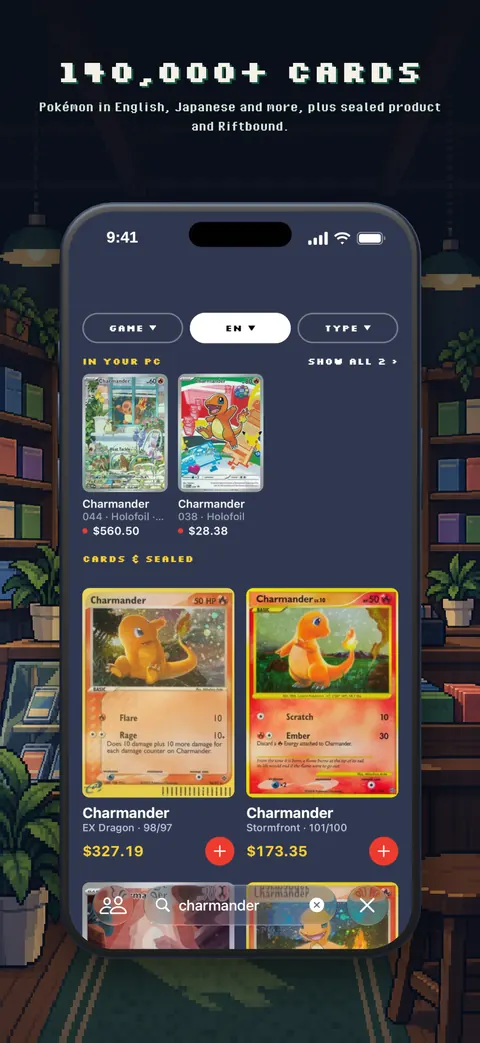
Yes. Japanese cards are listed under their English names. Search for the Pokémon, then choose JP under LANGUAGE to see only Japanese cards.
Are Japanese card prices in yen?
Prices are shown in US dollars so English and Japanese cards in the same collection add up to one total.
Does it read Japanese 1st Edition marks?
Japanese 1st Edition and Unlimited releases are listed side by side, and the app asks you to pick when the scan alone cannot tell them apart.
Get Trainer's PC free on iPhone. Android is coming to Google Play. Already a trainer? Open your PC on the web.